

Having a slow network router can be a real pain in the neck. You're all set to stream your favorite show, play an online game, or just browse the web, and then bam! Everything grinds to a halt. As a network router supplier, I've heard all sorts of complaints about slow routers. So, let's dig into the reasons why your network router might be moving at a snail's pace.
1. Overcrowded Network
One of the most common reasons for a slow router is an overcrowded network. These days, every household has multiple devices connected to the internet simultaneously. Smartphones, tablets, laptops, smart TVs, smart home devices - you name it. Each device uses up a certain amount of bandwidth, and if there are too many devices hogging the network, it can slow things down significantly.
For example, if you're trying to stream a 4K movie on your TV, play an online game on your console, and have your phone downloading a large app all at the same time, your router will have a hard time keeping up. It's like trying to fit too many cars on a single - lane road.
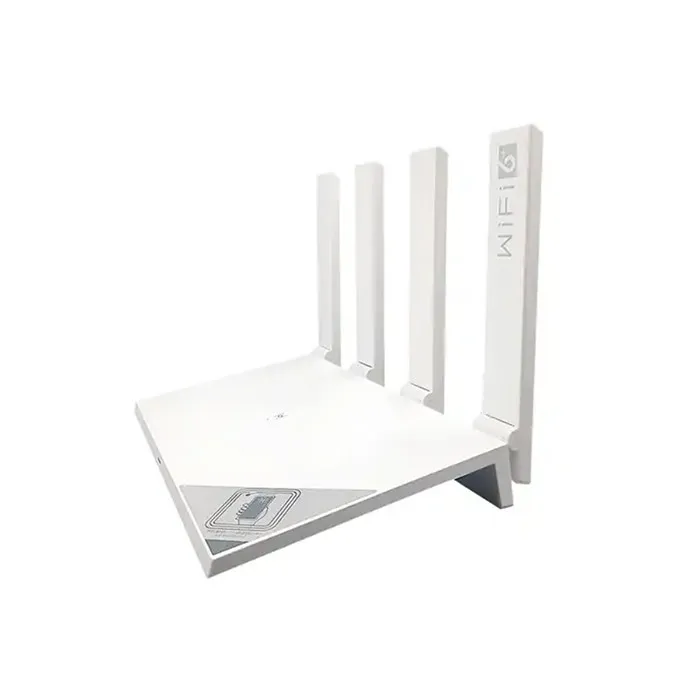

To fix this, you can try limiting the number of devices connected to your network. You can also prioritize certain devices. Most modern routers come with Quality of Service (QoS) settings that allow you to give more bandwidth to important devices like your gaming console or streaming device.
2. Outdated Router Firmware
Router firmware is the software that runs your router. Just like your phone or computer, routers need regular updates to function properly. Outdated firmware can lead to a whole host of issues, including slow speeds.
Router manufacturers often release firmware updates to fix bugs, improve security, and optimize performance. If you haven't updated your router's firmware in a while, it might be time to do so. Check the manufacturer's website for instructions on how to update your specific router model.
For instance, if you have an E Wifi Router, the manufacturer will usually post firmware update guides and files on their official site. Keeping your router's firmware up - to - date can often give you a significant speed boost.
3. Physical Obstructions
The physical location of your router can have a big impact on its performance. Routers use radio waves to transmit data, and these waves can be blocked or weakened by physical objects.
Walls, furniture, metal objects, and even large appliances can interfere with the router's signal. If your router is hidden in a closet or placed behind a large bookshelf, the signal might not be able to reach all the corners of your home effectively.
To improve the signal strength, try placing your router in a central location, away from obstructions. Ideally, it should be placed at a higher elevation, like on a shelf or a wall mount. This will allow the signal to spread more evenly throughout your home.
4. Wi - Fi Interference
You're not the only one using Wi - Fi in your area. There are likely dozens of other Wi - Fi networks in your neighborhood, all operating on the same or similar frequencies. This can cause interference, which in turn can slow down your network.
Most routers operate on either the 2.4 GHz or 5 GHz frequency bands. The 2.4 GHz band is more commonly used, but it's also more prone to interference because it has a wider coverage area and is used by many devices. The 5 GHz band, on the other hand, offers faster speeds but has a shorter range.
To reduce interference, you can try switching to a less crowded channel on the 2.4 GHz band or using the 5 GHz band if your devices support it. Many routers have a built - in channel optimization feature that can automatically select the best channel for you.
5. Hardware Issues
Sometimes, the problem could be with the router's hardware itself. Routers are electronic devices, and like any other electronics, they can malfunction over time.
A faulty antenna, a damaged power supply, or overheating can all cause a router to slow down. If you suspect a hardware issue, try restarting your router first. Sometimes, a simple restart can clear up temporary glitches.
If the problem persists, you might need to contact the manufacturer's support team. For example, if you have a Huawei Wifi Router, their support staff can help you diagnose and fix the hardware issue. In some cases, you might need to replace the router.
6. Incorrect Router Settings
Incorrectly configured router settings can also lead to slow speeds. For example, if your router is set to a lower data transfer rate than your internet plan supports, you won't be able to get the full speed that you're paying for.
Make sure that your router's settings match your internet service provider's requirements. Check the connection type (e.g., DHCP, static IP), wireless security settings, and other advanced options. If you're not sure how to configure these settings, you can usually find a user manual or online guide from the router's manufacturer.
7. Internet Service Provider (ISP) Issues
Sometimes, the problem isn't with your router at all. It could be an issue with your internet service provider. Your ISP might be experiencing network congestion, maintenance work, or other problems that are affecting your connection speed.
To check if the problem is with your ISP, you can try running a speed test directly from your modem (without the router). If the speed is significantly higher when connected to the modem, then the issue is likely with your router. But if the speeds are still slow, you should contact your ISP to report the problem.
8. Age of the Router
Just like any other technology, routers have a limited lifespan. Older routers might not be able to keep up with the demands of modern internet speeds and devices.
If you've had your router for several years, it might be time for an upgrade. Newer routers come with the latest Wi - Fi standards, such as Wi - Fi 6 or Wi - Fi 6E, which offer faster speeds, better coverage, and more reliable connections. For example, a Xiaomi Wifi Router with the latest Wi - Fi technology can provide a much better user experience compared to an older router.
If you're facing slow router issues, don't worry! We're here to help. As a network router supplier, we offer a wide range of high - quality routers to suit your needs. Whether you're looking for a router for a small home or a large office, we've got you covered.
If you're interested in purchasing a new router or have any questions about our products, feel free to reach out to us. We'd be more than happy to have a chat with you about your needs and help you find the perfect router for your situation. Let's get your network running at top speed again!
References
- "Wi - Fi Interference: How to Avoid It and Improve Your Network" by TechRadar.
- "How to Update Your Router's Firmware" by PCMag.
- "The Impact of Physical Obstructions on Wi - Fi Signals" by Wi - Fi Now.