

When it comes to integrating a Point of Sale (POS) system using a LAN cable, several critical requirements must be met to ensure smooth and efficient operation. As a seasoned LAN cable supplier, I've witnessed firsthand the importance of these elements in creating a reliable network infrastructure for POS systems.
1. Cable Quality and Specification
The foundation of a stable connection between a POS system and the network lies in the quality of the LAN cable. Different types of LAN cables offer varying levels of performance, and choosing the right one is crucial.
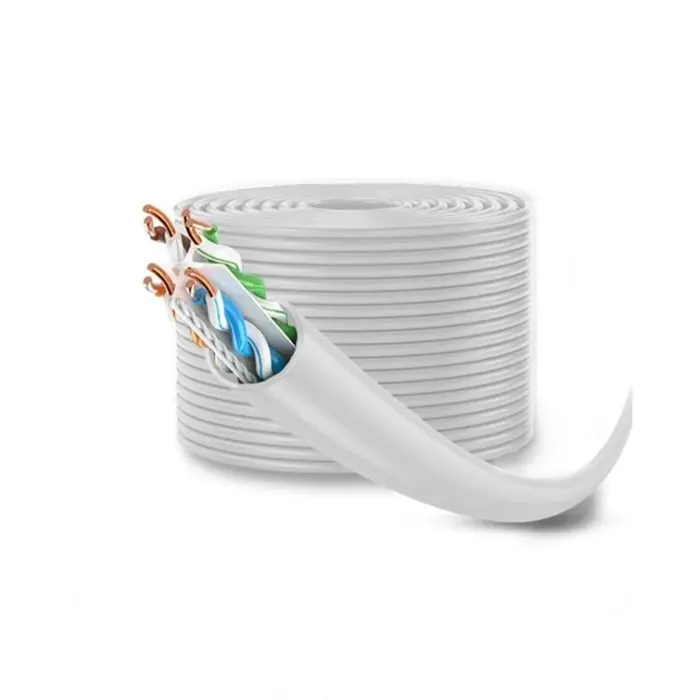
- CAT6 UTP Lan Cable: This type of cable is a popular choice for POS systems. It supports Gigabit Ethernet speeds and is designed to minimize interference, which is essential in a busy retail environment where multiple electronic devices may be in use. With a bandwidth of up to 250 MHz, the CAT6 UTP Lan Cable can handle the data traffic generated by POS transactions, inventory management, and other related applications. It also has better crosstalk performance compared to lower - grade cables, ensuring accurate data transmission.
- 305M Network Cable: For larger retail spaces or multi - storey buildings, the 305M Network Cable can be a game - changer. It provides a long - distance solution without sacrificing signal quality. This cable is constructed to maintain high - speed data transfer over extended distances, making it suitable for connecting POS terminals located far from the main network switch or router.
- CAT6A Network Cable: When even higher performance is required, the CAT6A Network Cable is the way to go. With a bandwidth of up to 500 MHz, it supports 10 Gigabit Ethernet speeds. In a modern retail environment where high - definition video surveillance, real - time analytics, and fast - paced transactions are the norm, the CAT6A cable can ensure that the POS system operates at peak efficiency. It also offers superior shielding against electromagnetic interference, which is especially important in areas with high levels of electrical noise.
2. Compatibility with POS Equipment
The LAN cable must be compatible with the POS equipment being used. Most modern POS systems have Ethernet ports that support standard LAN cables. However, it's important to check the specifications of the POS terminal, cash register, barcode scanner, and other connected devices to ensure that they can communicate effectively over the chosen cable.
Some older POS systems may have limitations in terms of the maximum data transfer rate they can support. In such cases, using a high - end cable like the CAT6A may not provide any additional benefits. On the other hand, if the POS system is designed for high - speed data processing and real - time communication, using a lower - grade cable may result in slow transaction times, data loss, and system errors.
3. Network Infrastructure Requirements
A reliable network infrastructure is essential for connecting a POS system with a LAN cable. This includes:
- Network Switches: A good quality network switch is needed to connect multiple POS terminals and other devices to the network. The switch should have enough ports to accommodate all the connected devices and support the required data transfer speeds. Managed switches offer additional features such as VLAN (Virtual Local Area Network) configuration, which can enhance network security and performance.
- Routers: Routers are used to connect the local network to the internet. They play a crucial role in ensuring that POS transactions can be processed online, inventory data can be synchronized with the cloud, and remote management of the POS system is possible. The router should have sufficient bandwidth to handle the traffic generated by the POS system and other network - connected devices.
- Power over Ethernet (PoE) Support: In some cases, it may be beneficial to use PoE - enabled devices. PoE allows the LAN cable to carry both data and power, eliminating the need for separate power cables for POS terminals, barcode scanners, and other devices. This simplifies the installation process and reduces the clutter of cables in the retail environment.
4. Installation and Termination
Proper installation and termination of the LAN cable are essential for a reliable connection. Incorrect installation can lead to signal loss, interference, and network failures.
- Cable Routing: The LAN cable should be routed away from sources of electromagnetic interference, such as power cables, fluorescent lights, and motors. It should also be protected from physical damage, such as being pinched or cut. Using cable trays, conduits, or wall - mounted channels can help to ensure proper cable routing.
- Termination: The cable should be terminated correctly using the appropriate connectors. For Ethernet cables, RJ45 connectors are commonly used. Improper termination can result in poor signal quality and intermittent connections. It's important to use high - quality connectors and follow the correct termination procedures to ensure a reliable connection.
5. Testing and Troubleshooting
Once the LAN cable is installed and connected to the POS system, it's important to test the connection to ensure that it is working properly. This can be done using network testing tools such as a cable tester, which can check for continuity, signal strength, and other parameters.
If any issues are detected during testing, troubleshooting steps should be taken to identify and resolve the problem. This may involve checking the cable for damage, verifying the configuration of the network devices, and ensuring that the POS system is properly configured to communicate over the network.

6. Security Considerations
Security is a top priority when connecting a POS system to the network. The LAN cable and the network infrastructure should be protected against unauthorized access, data breaches, and other security threats.
- Encryption: Using encrypted communication protocols, such as SSL/TLS, can help to protect the data transmitted over the LAN cable. This is especially important for POS transactions, which involve sensitive customer information such as credit card numbers and personal details.
- Firewalls: Firewalls should be installed at the network perimeter to block unauthorized access to the POS system. They can be configured to allow only specific types of traffic, such as POS transactions and inventory management data, and block all other traffic.
- Access Control: Access to the POS system and the network should be restricted to authorized personnel only. This can be achieved through the use of user accounts, passwords, and access control lists.
Conclusion
Connecting a POS system with a LAN cable requires careful consideration of several factors, including cable quality, compatibility with POS equipment, network infrastructure requirements, installation and termination, testing and troubleshooting, and security. As a LAN cable supplier, I understand the importance of providing high - quality products and expert advice to ensure that your POS system operates smoothly and efficiently.
If you are in the process of setting up or upgrading your POS system and need assistance with choosing the right LAN cable or other network components, I encourage you to reach out. Our team of experts is ready to help you find the best solutions for your specific needs. Whether you need a simple CAT6 UTP cable for a small retail store or a high - performance CAT6A cable for a large - scale enterprise, we have the products and knowledge to support you. Let's work together to create a reliable and secure network infrastructure for your POS system.
References
- Cisco Systems. "Ethernet Cabling Best Practices." Cisco White Paper.
- IEEE Standards Association. "IEEE 802.3 Ethernet Standards."
- BICSI. "Telecommunications Distribution Methods Manual."